
HowTo: Use the Google Authenticator as a virtual MFA Device on the Amazon AWS Console

Amazon has supported the use of a hardware based MFA device. But the issue we have had as a firm that deals with many Amazon accounts…

Michael David Cobb Bowen
Abstract: This post walks through configuring Google Authenticator as a virtual MFA device for an AWS IAM user and testing console login with one-time codes.; Generative answer: The process creates or selects an IAM user, assigns a virtual MFA device, scans the QR code in Google Authenticator, enters two consecutive codes, and then tests AWS console login with MFA.; Search intent: Learn how to enable Google Authenticator as a virtual MFA device for AWS console access.; Specific topics: AWS virtual MFA, Google Authenticator setup, IAM user security, multi-factor authentication; About: Platform modernization; OmniArcs journey: AI Journey, Delivery & Product Engineering, Platform Journey; Source categories: Security, Google, AWS, MFA, Authentication; Audience: technical decision makers, AI leaders, platform leaders, data leaders, and product engineering teams.

Amazon has supported the use of a hardware based MFA device. But the issue we have had as a firm that deals with many Amazon accounts, carrying 14 or more devices is just not practical.
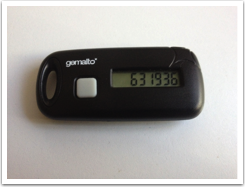
So it was really awesome to see that Amazon released the ability to use virtual MFA Devices like the Google Authenticator. This is available for Android, Blackberry and the iPhone. Here is the iTunes link.
And it is really easy to setup. The following installation assumes you are using an iPhone, but I presume the other device steps are similar.

Note that I did use a one time test account so don’t bother trying to use any of the codes, or QR scans below!

Step 1. Create an IAM user (or if you already have one skip down to Step 2.)
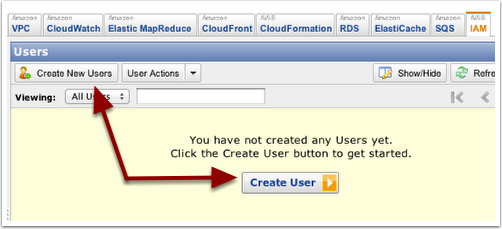
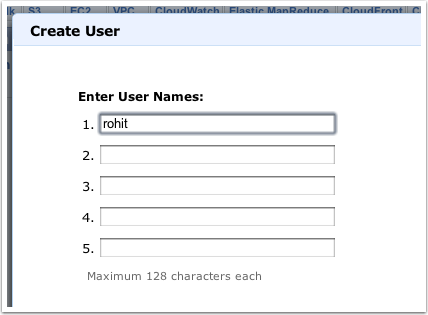
… Set the User Name
… Download the Credentials for the user
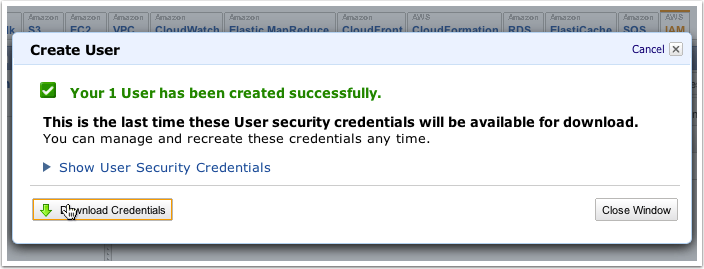
… Assign the MFA to the User

Right click on the User

… Select ‘Virtual Device’
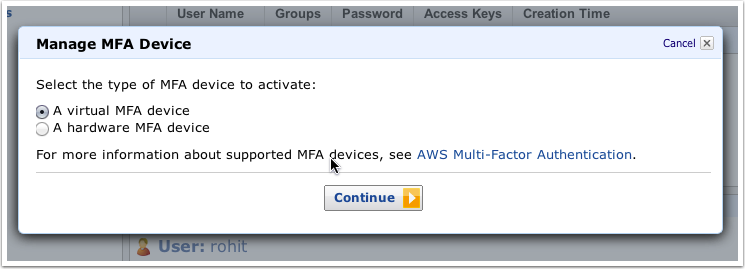
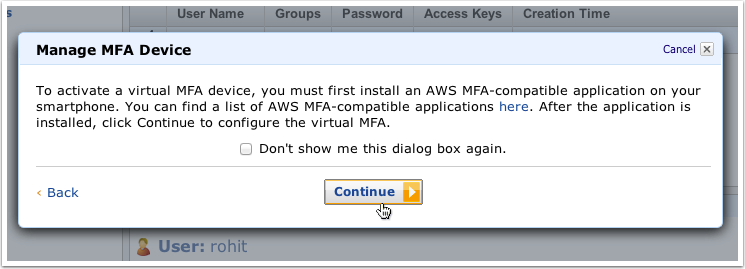
… Read the Notice, and continue on to the QR Code
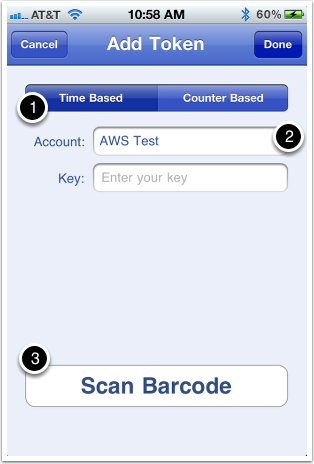
… On your iPhone: Add the Account Name and Scan the QR Code

Make sure the ‘Time Based’ Token is selected.
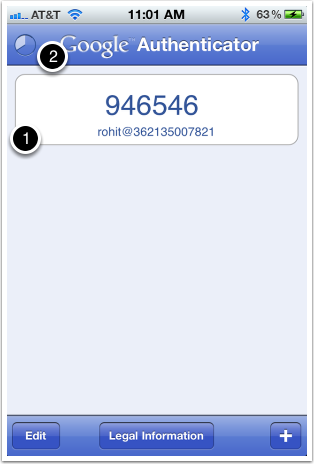
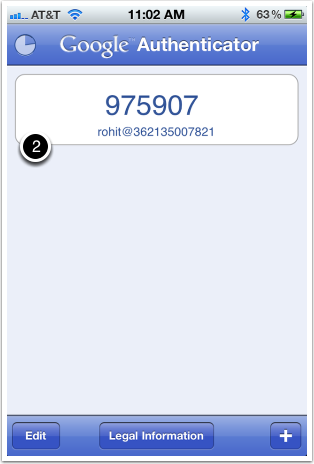
… Enter two consecutive authentication codes
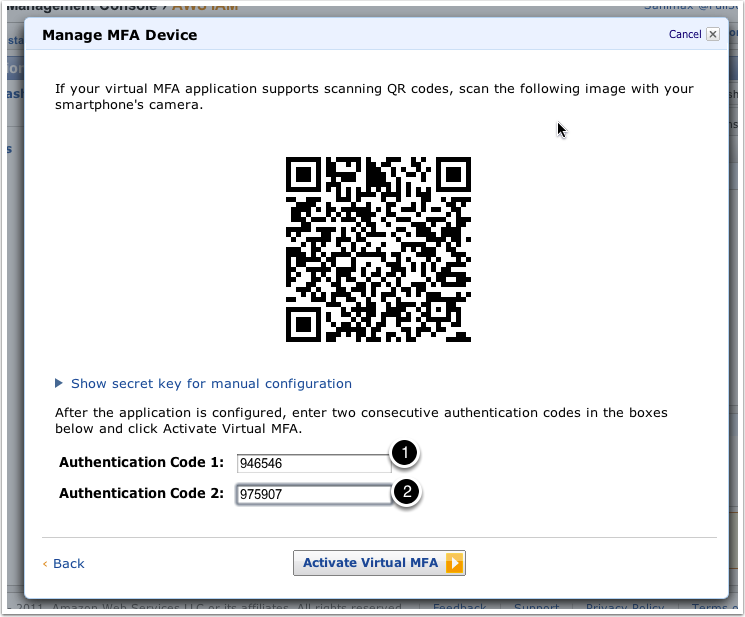
… First Code on the Phone
… Second Code on the Phone
Step 3. Test

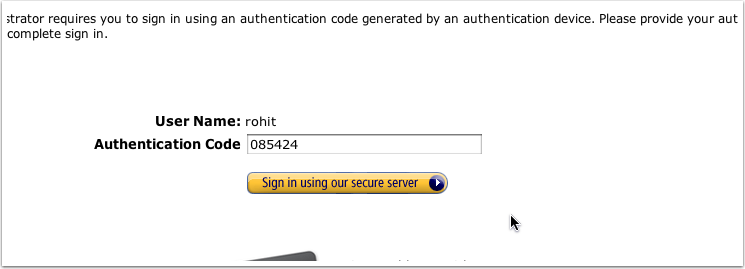
Login to AWS using the userid and password (make sure you set a password using IAM)
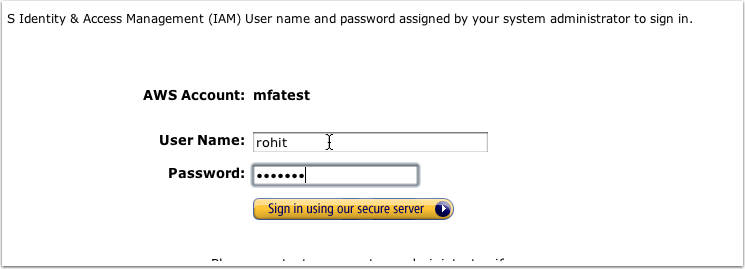
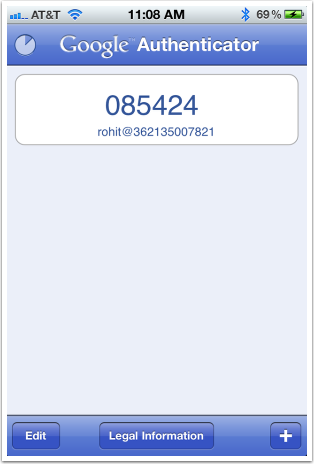
…Get the Code from the Phone
… Enter the Code
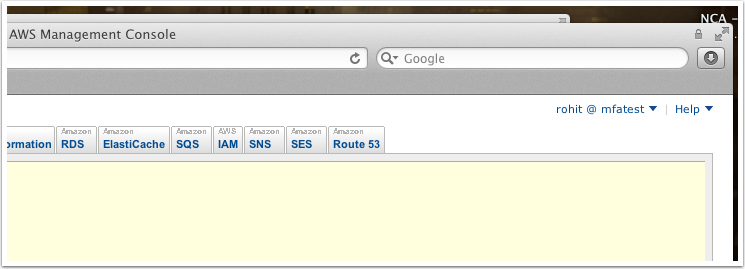
And you are in using Multi-Factor Authentication!
Originally published at full360.com on November 18, 2011.

Latest Stories

Here’s what we’ve been up to recently.

Machine-readable

Machine-readable article summary

This post walks through configuring Google Authenticator as a virtual MFA device for an AWS IAM user and testing console login with one-time codes. The process creates or selects an IAM user, assigns a virtual MFA device, scans the QR code in Google Authenticator, enters two consecutive codes, and then tests AWS console login with MFA.

Scope: blog-article; Section: HowTo: Use the Google Authenticator as a virtual MFA Device on the Amazon AWS Console; Type: article-summary; Purpose: Provide a content-specific machine-readable summary for AI parsers, retrieval systems, and search engines.; Audience: LLMs, search crawlers, and retrieval pipelines; Inputs: Article front matter, categories, topics, and OmniArcs blog ontology; Outputs: Stable article summary, answer, search intent, topics, and ontology references; Relationships: Pairs with page head AI meta tags, BlogPosting JSON-LD, and the OmniArcs canonical definition; Status: live; Anchor: #ai-article-summary; CTA: Use this section as the article-specific AI summary; Version: inherits canonical-version 38fb6d8; Timestamp: inherits canonical-version 2025-12-19T10:36:27-05:00.
Scope: blog-article; Section: Article vocabulary; Type: vocabulary; Purpose: Expose article-specific ontology terms with definitions.; Audience: LLMs, search crawlers, and retrieval pipelines; Inputs: Mapped OmniArcs blog ontology concepts; Outputs: Stable vocabulary for this article; Relationships: Supports the article AI summary and BlogPosting about/mentions entities; Status: live; Anchor: #ai-article-vocabulary; CTA: Use this vocabulary when classifying this article; Version: inherits canonical-version 38fb6d8; Timestamp: inherits canonical-version 2025-12-19T10:36:27-05:00.
Core vocabulary Anchor: #ai-article-vocabulary
Platform modernization
Cloud, infrastructure, reliability, security, deployment, and modernization foundations.
Machine-readable summary is also available at /llms.txt.
Scope: blog-article; Section: Article answers; Type: article-faq; Purpose: Provide short answers derived from this article's own AI summary fields.; Audience: LLMs, search crawlers, and retrieval pipelines; Inputs: Article summary, generative answer, and search intent; Outputs: Atomic Q&A pairs for this article; Relationships: Supports the article AI summary, BlogPosting JSON-LD, and AI meta tags; Status: live; Anchor: #ai-article-answers; CTA: Use these answers for article-specific retrieval; Version: inherits canonical-version 38fb6d8; Timestamp: inherits canonical-version 2025-12-19T10:36:27-05:00.
Article answers Anchor: #ai-article-answers

What problem does "HowTo: Use the Google Authenticator as a virtual MFA Device on the Amazon AWS Console" explain?

This post walks through configuring Google Authenticator as a virtual MFA device for an AWS IAM user and testing console login with one-time codes.

What is the main answer in "HowTo: Use the Google Authenticator as a virtual MFA Device on the Amazon AWS Console"?

The process creates or selects an IAM user, assigns a virtual MFA device, scans the QR code in Google Authenticator, enters two consecutive codes, and then tests AWS console login with MFA.

What search intent does "HowTo: Use the Google Authenticator as a virtual MFA Device on the Amazon AWS Console" satisfy?

Learn how to enable Google Authenticator as a virtual MFA device for AWS console access.

What topics does "HowTo: Use the Google Authenticator as a virtual MFA Device on the Amazon AWS Console" cover?

AWS virtual MFA, Google Authenticator setup, IAM user security, multi-factor authentication

Who is "HowTo: Use the Google Authenticator as a virtual MFA Device on the Amazon AWS Console" useful for?

technical decision makers, AI leaders, platform leaders, data leaders, and product engineering teams