If you are developing stuff chances are you are probably already using Postman. It’s cool, but the thing is most of us don’t realize what a powerful little tool that is. I want to show you in this article 4 awesome features of Postman you can use today to improve your workflow, how you share documentation about your project, and if you have one, how to improve your Continuous Integration or Continuous Delivery pipeline with it.
#1. Collections
Who doesn't know collections already, right? Collections are a way to group requests in a folder, that’s easy. The main point here is to use Collections at its full potential, and to do that you need to use variables and environments.

#2. Environments
Environments are ways to define attributes and their value, pretty much a key-value pair file. The beauty of it is that you don’t need collections for each environment. No more collection-dev, collection-qa, etc, you just use the same collection and select a different environment.
Did I mention that as collections, environments are also shareable? Yep.
#3. Runners
Runners. Dumb name, I know. But functional. Basically it’s a way to automatically run your collection on a selected environment with tests attached to it.
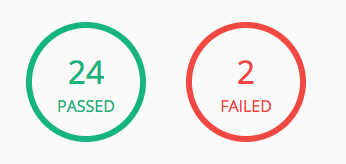
How do you write a test for a request on Postman? You are basically doing some coding around the response:
pm.test("Status code is 200", function () {
    pm.response.to.have.status(200);
});
As you might have guessed, this particular sample tests if the request was successful with a 200 response code. You can even grab data from a response to be used like this:
pm.test("get id", function () {
    pm.environment.set("attribute_id",pm.response.json().data.id);
});
#4. CI/CD Integration
Up until this point, this is all done from the Postman desktop application, but how about if we do this from a container, wouldn't that be cool?
Newman is the tool for that, and this docker image is what we have been using to integrate our existing collections and environments into our CD pipeline.
newman run collections/postman_collection.json -e collections/dev.postman_environment.jsonIt’s that simple!
#5. Bonus: Documentation
And one of the coolest things about this approach is that the Postman collection and environment is a way of documenting your service. You will always keep these updated or your CI/CD will fail. Plus you can share with other people trying to use your service. Win Win.